Windows
Turn on Num Lock. Hold ALT and type a character’s numeric code on the number pad, then release ALT. For example, ALT + 0233 produces é.
LetterAccents.com is your ultimate digital destination for instantly copying accented characters, learning cursive penmanship, transforming plain text into stylish cursive fonts, and looking up Windows ALT keyboard shortcuts. Skip complex character maps and find the exact symbol you need in seconds.
Click on any character card to copy it straight to your clipboard.
Visual Resource Gallery
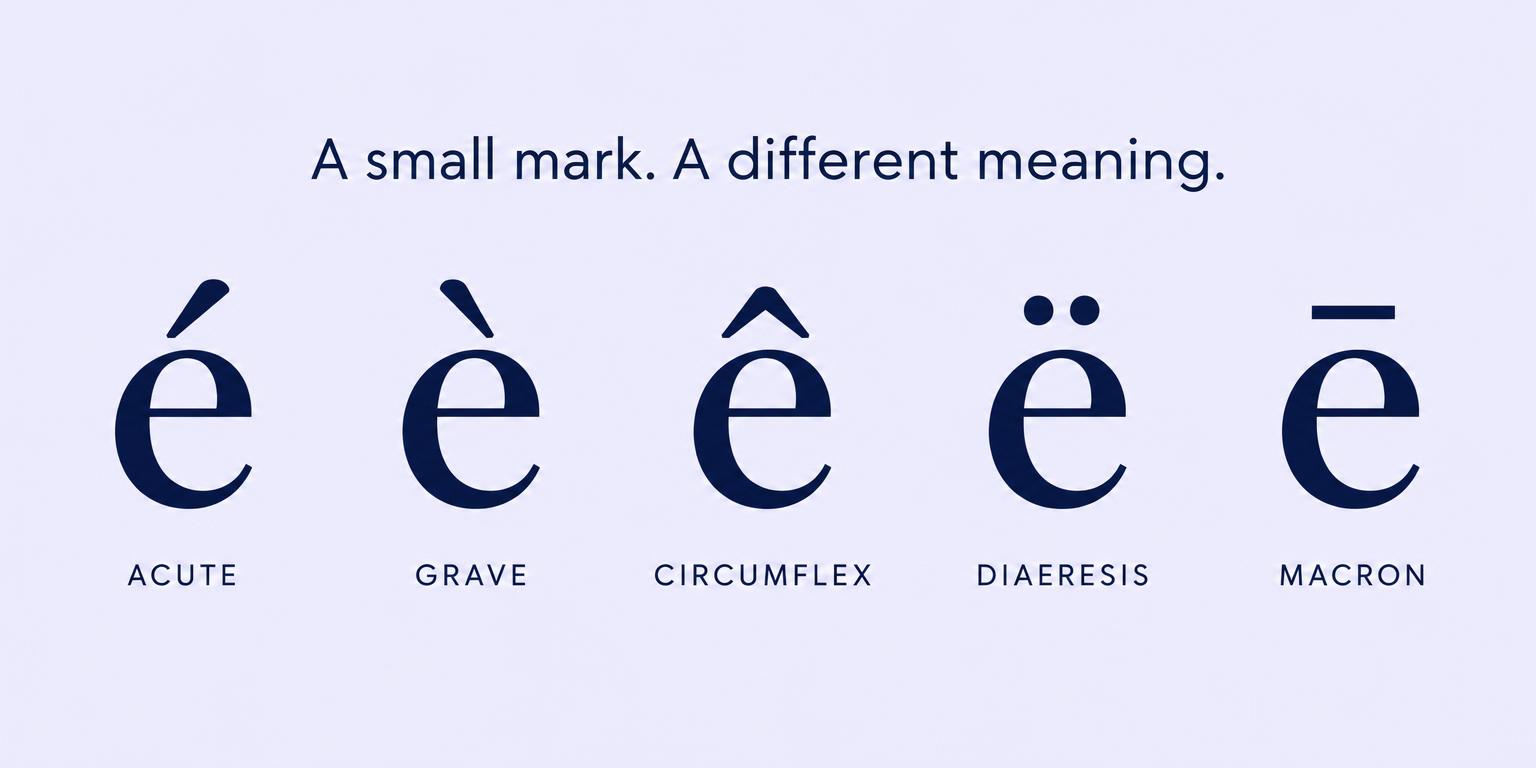
Quickly distinguish between acute, grave, and circumflex marks.
A little flourish
Transform plain text into elegant, copyable cursive script.
Keyboard essentials
Hold the ALT key and enter the code using your numeric keypad.
| Character | Description | ALT Code | Copy |
|---|---|---|---|
| é | e with acute | ALT + 0233 | |
| è | e with grave | ALT + 0232 | |
| ê | e with circumflex | ALT + 0234 | |
| ë | e with diaeresis | ALT + 0235 | |
| á | a with acute | ALT + 0225 | |
| à | a with grave | ALT + 0224 | |
| ä | a with diaeresis | ALT + 0228 | |
| å | a with ring | ALT + 0229 | |
| í | i with acute | ALT + 0237 | |
| ó | o with acute | ALT + 0243 | |
| ö | o with diaeresis | ALT + 0246 | |
| ú | u with acute | ALT + 0250 | |
| ü | u with diaeresis | ALT + 0252 | |
| ñ | n with tilde | ALT + 0241 | |
| ç | c with cedilla | ALT + 0231 | |
| ß | German sharp s | ALT + 0223 |
Make it second nature
Turn on Num Lock. Hold ALT and type a character’s numeric code on the number pad, then release ALT. For example, ALT + 0233 produces é.
Press and hold a letter to open the accent menu, then choose a character. You can also press Option + E, release, and type E to get é.
Touch and hold a letter on your keyboard. Slide your finger to the accented version you need, then release to insert it.